
How to Delete Your Saino Account: A Complete Step-by-Step Guide
Deciding to leave an app behind is a personal choice, and Saino makes the process as painless as possible. Whether you've found what you were looking for, want a break from dating apps, or simply prefer to start over with a fresh profile, deleting your Saino account only takes a couple of minutes. Below, we'll walk you through the exact steps, along with a few things you should know before you tap that final “delete” button.
Before You Delete Your Account
Account deletion on Saino is permanent, which means there's no built-in way to undo it once it's confirmed. Before you proceed, it's worth taking a moment to consider the following:
- Your profile, matches, and conversations will be permanently erased and cannot be recovered.
- Any active Premium subscription should be cancelled separately through the App Store or Google Play, deleting your account does not automatically stop billing.
- If you might want to use Saino again down the line, you'll need to sign up and build your profile from scratch.
Step-by-Step: How to Delete Your Saino Account
1. Open Settings from your Profile page. On the Profile screen, tap the gear (settings) icon in the top-right corner.
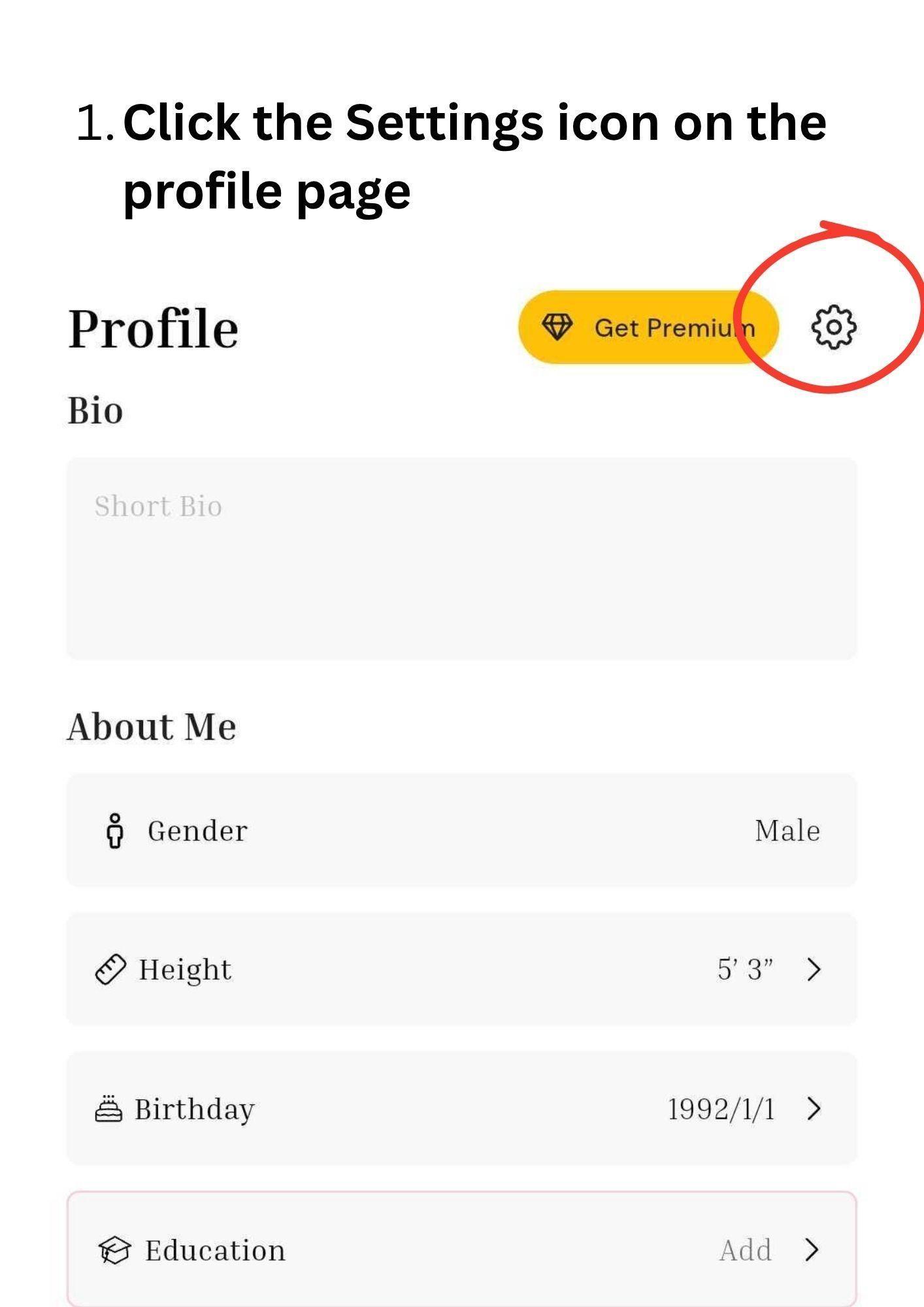
Tap the settings icon on your Saino profile page.
2. Tap “Manage Account.” Scroll down through the settings menu until you see the Manage Account option, and select it.
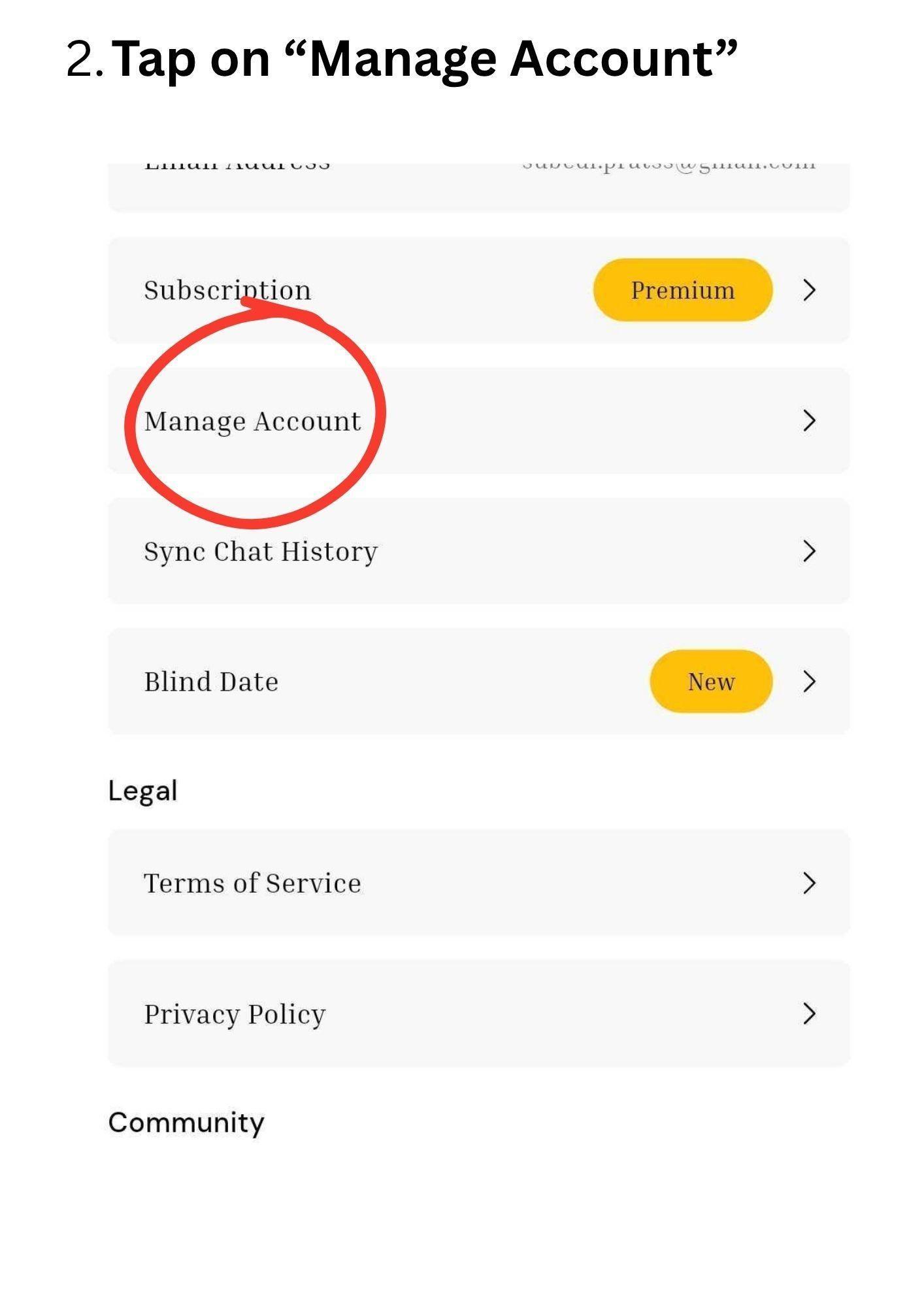
Select “Manage Account” from the settings list.
3. Select “Delete Account.” Inside the Manage Account screen, tap the Delete Account option.
4. Choose a reason and confirm. Saino will ask why you're leaving, select a reason from the dropdown, then tap “Yes, Delete” to confirm.
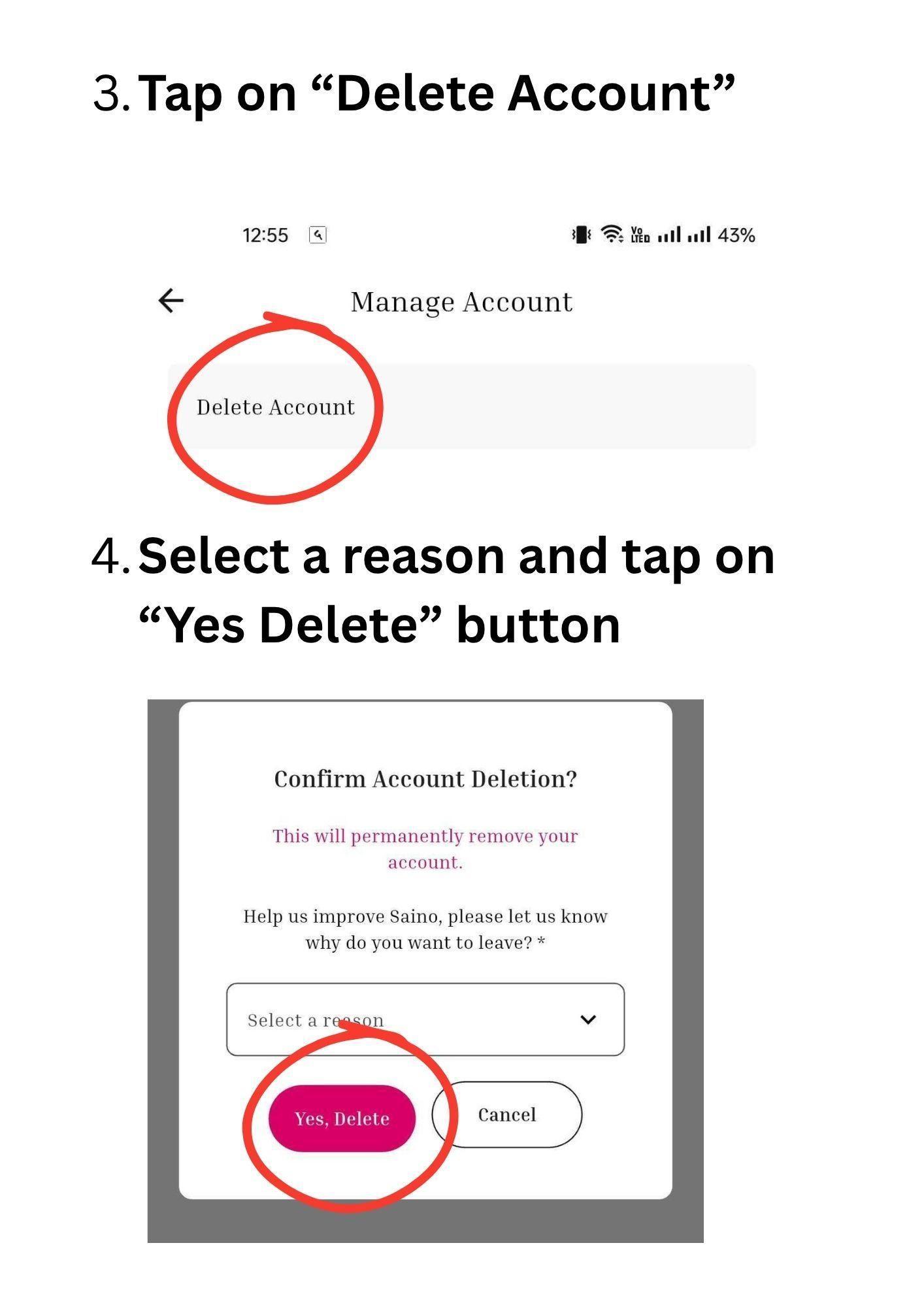
Select a reason for leaving, then confirm by tapping “Yes, Delete.”
Once confirmed, your Saino account and all associated data will be permanently removed from the platform.
Frequently Asked Questions
Final Thoughts
Whatever your reason for leaving, deleting your Saino account is a quick, four-step process once you know where to look. Just remember to cancel any active subscription first so you're not charged after you've gone. If you ever change your mind, you're always welcome to create a new profile and start fresh.